← 블로그로 돌아가기

YouTube Keyword Research: A Complete Guide

·5분 소요·Seed Keyword Team

Why YouTube Keyword Research Is Different

YouTube is the world's second-largest search engine, with over 2 billion monthly active users. But keyword research for YouTube isn't the same as for Google. The audiences, intents, and algorithms are fundamentally different.

On Google, users often want quick text-based answers. On YouTube, they want visual explanations, tutorials, entertainment, and reviews. A keyword that performs well on Google might flop on YouTube, and vice versa. That's why you need a YouTube-specific keyword strategy.

How YouTube's Search Algorithm Works

YouTube's algorithm considers several ranking factors for search results:

  • Video title relevance: Does the title contain the search query?
  • Description keywords: Are relevant terms in the video description?
  • Tags: Do tags match common search variations?
  • Watch time: Do viewers actually watch the video after clicking?
  • Engagement: Likes, comments, and shares signal quality to the algorithm
  • Channel authority: Established channels may rank more easily for competitive terms

Keywords influence the first three factors directly. But even perfectly optimized metadata won't save a video with poor watch time, so always prioritize content quality.

Finding YouTube Keywords: A Step-by-Step Process

Step 1: Brainstorm Seed Keywords

Start with topics your channel covers. If you run a cooking channel, your seeds might be:

  • "pasta recipe"
  • "meal prep"
  • "air fryer"
  • "kitchen gadgets"

Step 2: Use YouTube Autocomplete

Go to YouTube's search bar and start typing your seed keyword. YouTube suggests completions based on actual user searches. These suggestions are pure gold — they're literally what your target audience is searching for.

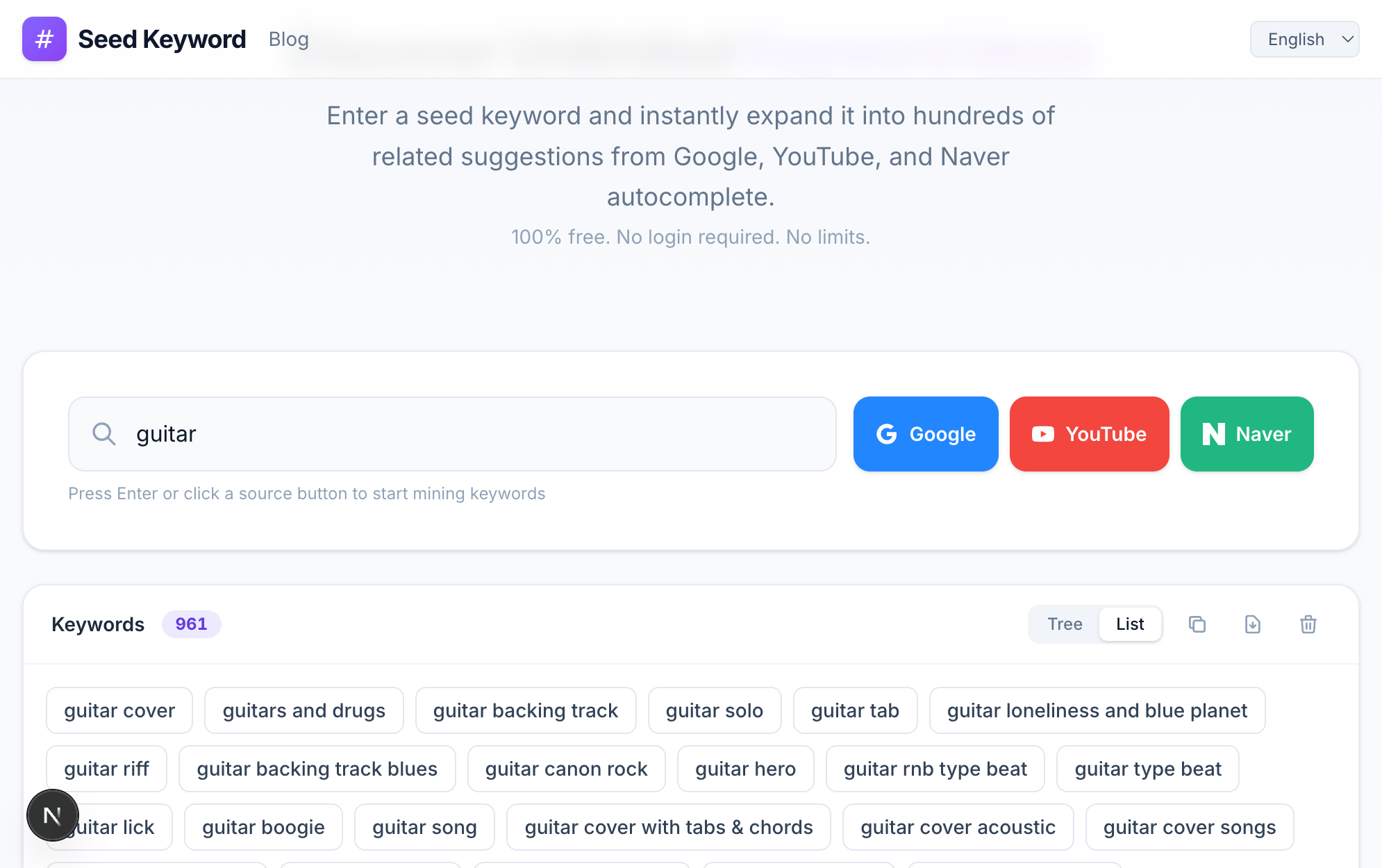
To do this at scale, use a tool like Seed Keyword with the YouTube source selected. It recursively expands each suggestion, giving you hundreds of YouTube-specific keywords from a single seed.

Step 3: Analyze the Competition

For each promising keyword, search it on YouTube and examine the results:

  • View counts: How many views do the top results have? High views mean high demand.
  • Channel size: Are the top results from channels with millions of subscribers, or smaller creators? Smaller channels in top positions suggest lower competition.
  • Video age: Are the top results recent or years old? Old top results with relatively low views suggest an opportunity for fresh content.
  • Quality gap: Could you make a significantly better video? If the current results are low-effort, there's opportunity.

Step 4: Validate with Google Trends

Google Trends has a YouTube-specific filter. Use it to compare keyword popularity and identify trending topics. Look for keywords with steady or growing interest rather than declining ones.

Step 5: Build Your Keyword List

Create a spreadsheet with columns for:

  • Keyword
  • Estimated competition (low/medium/high)
  • Content angle (tutorial, review, comparison, etc.)
  • Priority (based on your analysis)

YouTube Keyword Optimization

Title Optimization

Your title is the most important metadata element. Best practices:

  • Front-load your keyword: "Pasta Recipe for Beginners" is better than "A Great Recipe for Pasta Beginners Might Enjoy"
  • Keep it under 60 characters: Longer titles get cut off in search results
  • Add a hook: Numbers, superlatives, or curiosity gaps increase click-through rates ("5 Pasta Recipes That Changed My Life")

Description Optimization

YouTube descriptions can be up to 5,000 characters. Use them wisely:

  • Include your target keyword in the first 2-3 sentences
  • Add related long-tail keywords naturally throughout
  • Include timestamps for longer videos (YouTube uses these for key moments)
  • Link to related videos and your website

Tag Strategy

While tags carry less weight than they once did, they still help YouTube understand your content:

  • Start with your exact target keyword
  • Add common variations and misspellings
  • Include broader topic tags
  • Use 10-15 tags per video

Content Types That Rank Well on YouTube

Different keyword types call for different content formats:

"How to" keywords → Step-by-step tutorials

  • Example: "how to edit videos in DaVinci Resolve"

"Best" keywords → Listicles and comparisons

  • Example: "best budget cameras for YouTube 2026"

"Review" keywords → In-depth product reviews

  • Example: "iPhone 18 review after 30 days"

"vs" keywords → Head-to-head comparisons

  • Example: "Premiere Pro vs DaVinci Resolve"

"For beginners" keywords → Comprehensive introductions

  • Example: "photography for beginners complete guide"

Common YouTube Keyword Mistakes

Targeting keywords that are too broad: "Cooking" has billions of results. "One-pot pasta recipes for college students" is much more targetable.

Ignoring YouTube-specific demand: A keyword might trend on Google but have zero YouTube interest. Always check YouTube autocomplete specifically.

Keyword stuffing: Cramming keywords into your title unnatural sounds spammy and hurts click-through rates. One target keyword per video is enough.

Not updating old videos: YouTube allows you to edit titles, descriptions, and tags after publishing. Update older videos with better keywords based on what you've learned.

Measuring Success

Track these metrics after publishing keyword-optimized videos:

  • Impressions: How often your video appears in search and suggested results
  • Click-through rate: What percentage of impressions turn into views
  • Average view duration: How long people watch before leaving
  • Search traffic: In YouTube Analytics, check "Traffic Source: YouTube Search" to see exactly which keywords bring viewers

Conclusion

YouTube keyword research is the foundation of channel growth. By understanding how YouTube's algorithm uses metadata, systematically discovering keywords through autocomplete expansion, and optimizing your videos properly, you can dramatically increase your visibility on the platform. Start with your seed keywords, expand them using YouTube-specific tools, and let the data guide your content strategy.

The best time to start optimizing for YouTube search was yesterday. The second best time is right now.